
Nittan EV-AD2(PROGRAMMERONLY) Evolution Analogue Addressable Programmer | Sets Device Addresses, Battery Powered
£84.24 (inc VAT: £101.09)
Key features
- Connects via detector base or RJ45 module socket
- Runs on battery or AC mains power
- On-screen error code diagnostics
Downloads
Summary
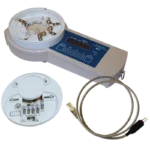
The Nittan EV-AD2 is an address programmer for setting addresses on Evolution (EV) protocol analogue addressable detectors and modules, connecting directly to a detector base or via an RJ45 (registered jack 45) socket for loop modules. That dual connection method means you can address both detector and module types with a single handheld unit rather than switching tools between device families.
View full overview Show less
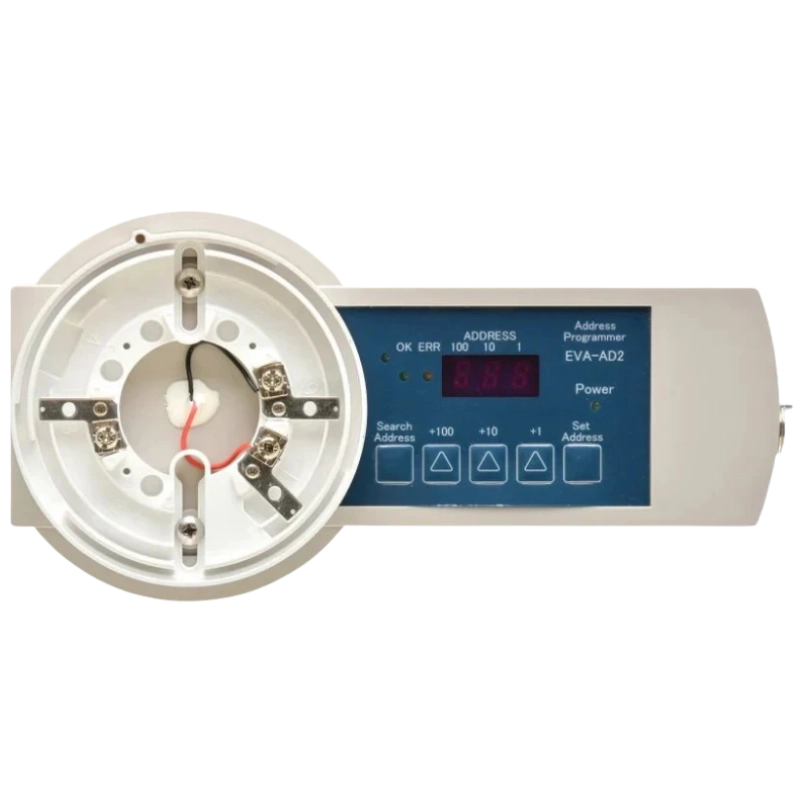
On a commissioning job that saves you time moving between panels and devices, and keeps your kit bag lighter. You press the search key to find the device, step through the address with the +100, +10 and +1 keys, then confirm with set, all read back on the built-in 7-segment display.
For site flexibility the EV-AD2 runs from two PP3 9V alkaline batteries or from an AC power unit, so you can use it standalone on the loop or powered from the bench during pre-install configuration.
Features
- Base and RJ45 connections - address detectors from the base connector and modules from the RJ45 socket without extra leads
- Battery or AC powered operation - carry it on two PP3 9V batteries for loop work or run from an AC power unit at the bench
- 7-segment display - cycles through customer code, detector type and address so you can confirm settings before writing them
- Automatic stand-by mode - drops into stand-by after one minute of inactivity to conserve battery power, waking on any key press
- Built-in error code diagnostics - codes E01 to E22 flag receive, checksum, EEPROM, wiring and battery faults so you can troubleshoot on site
- Low battery warning - the power LED blinks and error codes E21/E22 appear before the batteries fail, prompting a swap before you lose a session
Specifications
| Product Name | EV-AD2 |
|---|---|
| Power Supply | DC18V (2 x PP3 alkaline batteries, not supplied) or DC24V using AC power unit (not supplied) |
| Battery Type | 2 x PP3 9V non-rechargeable alkaline |
| Operating Temperature | 0°C to +40°C |
| Humidity | Up to 85%RH (non-condensing) |
| Weight | Approximately 360g (without battery) |
| Test Device Capacity | 1 EV protocol device at a time |
| Connections | Detector base connector and RJ45 module socket |
| Display | 7-segment LED with Completed, Error and Power indicator LEDs |
FAQ
Yes. Connect a detector to the base connector on the underside of the unit, or use the RJ45 socket to address a module. You can only address one EV protocol device at a time. It takes two PP3 9V non-rechargeable alkaline batteries. You can also power it from an AC power unit instead of batteries, though the adaptor itself is not supplied with the unit. The EV-AD2 switches to stand-by mode to save battery power if there is no key operation for more than a minute. The 7-segment display blanks but the power LED stays lit, and pressing any key brings it back. Check the error code against the table in the manual: codes such as E01 to E04 point to communication or checksum issues on the connection, E10/E11 to write or EEPROM faults on the device, and E20 to a step-up transformer fault or short circuit on the signal line. E21 and E22 indicate the batteries need replacing. Yes. Before you write a new address, the 7-segment display cycles through the existing customer code, detector type and address every second for two cycles, then holds on the address, so you can confirm what is already programmed before changing it. The manual advises removing the batteries if the EV-AD2 is going to be stored for any length of time, to avoid leakage damaging the compartment.Can the EV-AD2 address both detectors and modules?
What batteries does it take, and can I rewire it to mains?
Why has the display gone blank mid-job?
What should I do if I get an error code instead of a completed address?
Does the display tell me what address is currently set?
Can I leave batteries in the unit between jobs?
Downloads
- Technical Manual (Adobe PDF)
Additional information
| Weight | 0.6 kg |
|---|---|
| Device Type |