


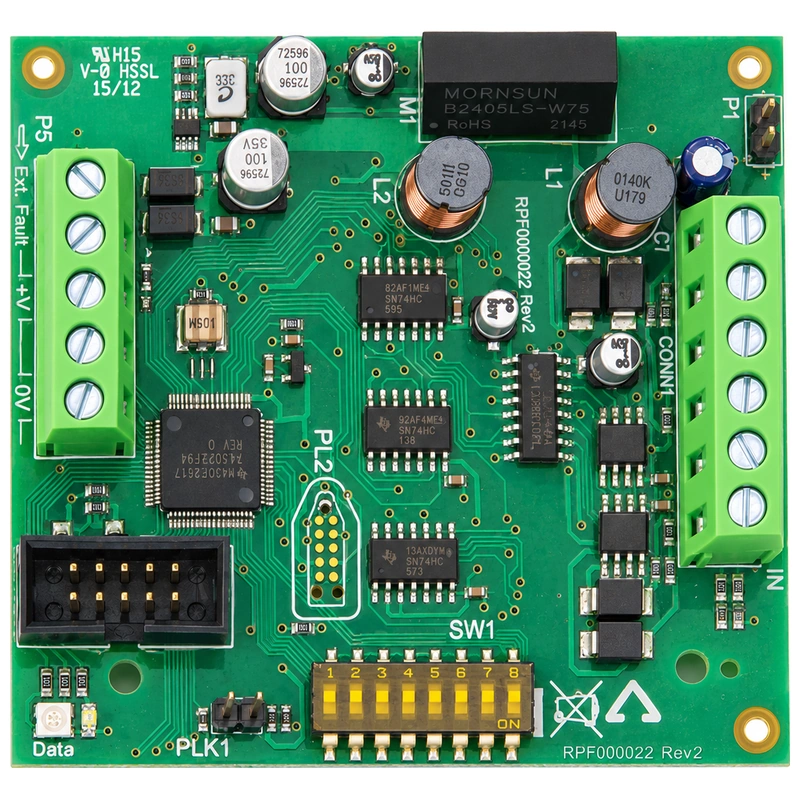
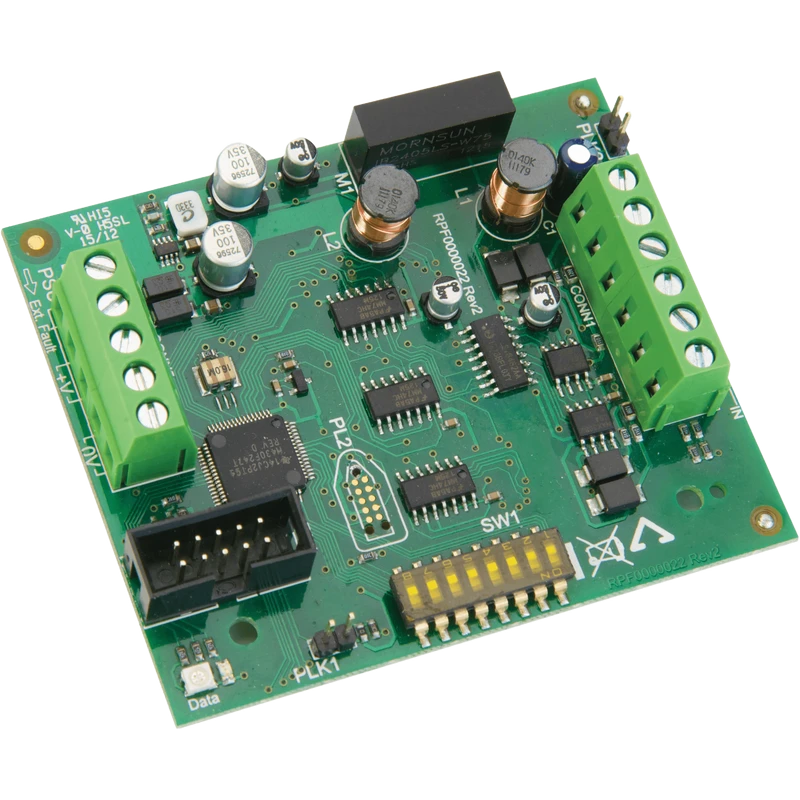

C-Tec ZHN ZFP Hi-Net Multi-Path Fault Tolerant Network PCB | 128km Total Reach
£255.99 (inc VAT: £307.19)
Key features
- Links up to 64 main panels and 64 compact controllers
- 1km maximum cable length between network nodes
- Single-path retrofit mode for up to 8 nodes
Downloads
Summary
The C-Tec ZHN is a network interface PCB that builds a fault tolerant Hi-Net network linking ZFP Main Panels and Compact Controllers over two-wire RS485 wiring, with a ring-wired multi-path design that keeps the network running even if a cable run is cut or damaged. That resilience is the main thing to weigh up against a straightforward single-path RS485 network when you’re speccing a multi-building or multi-panel fire system.
View full overview Show less
For you on site, that means fewer emergency call-backs if a cable gets nicked during later building work, and a network you can confidently scope across large or spread-out premises without a single point of failure taking the whole system down. It also opens up bigger contracts: one Hi-Net network can span a campus, a shopping centre or a multi-block development rather than being limited to a single building.
One ZHN is required per ZFP Main Panel you add, while ZFP Compact Controllers already include a ZHN as standard. Each node is given a unique ID (1 to 126) via an on-board dip switch, and the network can stretch to 128km in total, with up to 1km between any two nodes.
Features
- Multi-path fault tolerant ring - keeps data flowing to every panel even if one cable run is damaged
- Up to 64 panels and 64 controllers - build one network across large or multi-building sites from a single PCB type
- 128km total network reach - connect panels across campuses and spread-out premises
- Retrofit single-path mode - wire up to 8 ZHNs over 1km where a full ring isn’t practical
- Dip switch node addressing - set each node’s unique ID (1-126) quickly on site via SW1
- Dedicated earth screen terminal - keeps screen continuity separate from the A/B data pair
- Network status LEDs - check comms health at each node without extra test equipment
- CE marked
Specifications
| Type | RS485 |
|---|---|
| Network Topology | Ring-wired, multi-path, fault tolerant Hi-Net network |
| Max Panels And Controllers | Up to 64 ZFP Main Panels (any mix) and up to 64 ZFP Compact Controllers |
| Max Cable Length Between Nodes | 1km |
| Max Cable Length Of Entire Network | 128km |
| Retrofit Configuration | Non-fault tolerant, single-path; max 8 nodes; max 1km total network length |
| Node Addressing | Unique ID (1-126) set via dip switch SW1 |
| Connections | A (IN) to A (OUT) and B (IN) to B (OUT) for data comms; C (IN) to C (OUT) for earth screens |
| Indicators | Network status LEDs |
| Product Dimensions | TBC |
| Weight | TBC |
| Approvals | CE marked |
FAQ
Yes, one ZHN is required per ZFP Main Panel you add to the network. ZFP Compact Controllers already include a ZHN PCB as standard, so there’s no extra hardware to fit on those. Yes, the Hi-Net network supports any mix of up to 64 Main Panels and 64 Compact Controllers. You can combine both panel types on one network without additional interface hardware. Because the Hi-Net network is wired in a multi-path, fault tolerant ring, data can still reach every node by routing the other way round the ring if one run is cut. The Network Status LEDs on each ZHN let you confirm comms are still healthy after a fault. Yes, for retrofits you can wire multiple ZHNs in a non-fault tolerant, single-path configuration supporting up to 8 nodes over a total run of 1km. This avoids installing a full ring where that isn’t practical, though you lose the fault tolerance of the full Hi-Net topology. Each ZHN needs a unique ID number between 1 and 126, set using the dip switch (SW1) on the PCB before commissioning. Keep a record of IDs allocated across the site so you avoid address conflicts if the network is expanded later. Terminals A and B carry the RS485 data comms between nodes, A (IN) to A (OUT) and B (IN) to B (OUT), while terminal C is reserved for the earth screen connection. Keeping the screen continuous from node to node helps maintain signal integrity over longer cable runs.Does every ZFP Main Panel need its own ZHN PCB?
Can I mix ZFP Main Panels and Compact Controllers on the same Hi-Net network?
What happens on site if a cable in the ring gets damaged?
Can I use the ZHN on a smaller retrofit job without wiring a full ring?
How do I address each node on the network?
What are terminals A, B and C used for?
Downloads
- Datasheet (Adobe PDF)
Additional information
| System Type | |
|---|---|
| Device Type | |
| Number of Panels | 5-64 |
| Nodes | 25 to 64 |