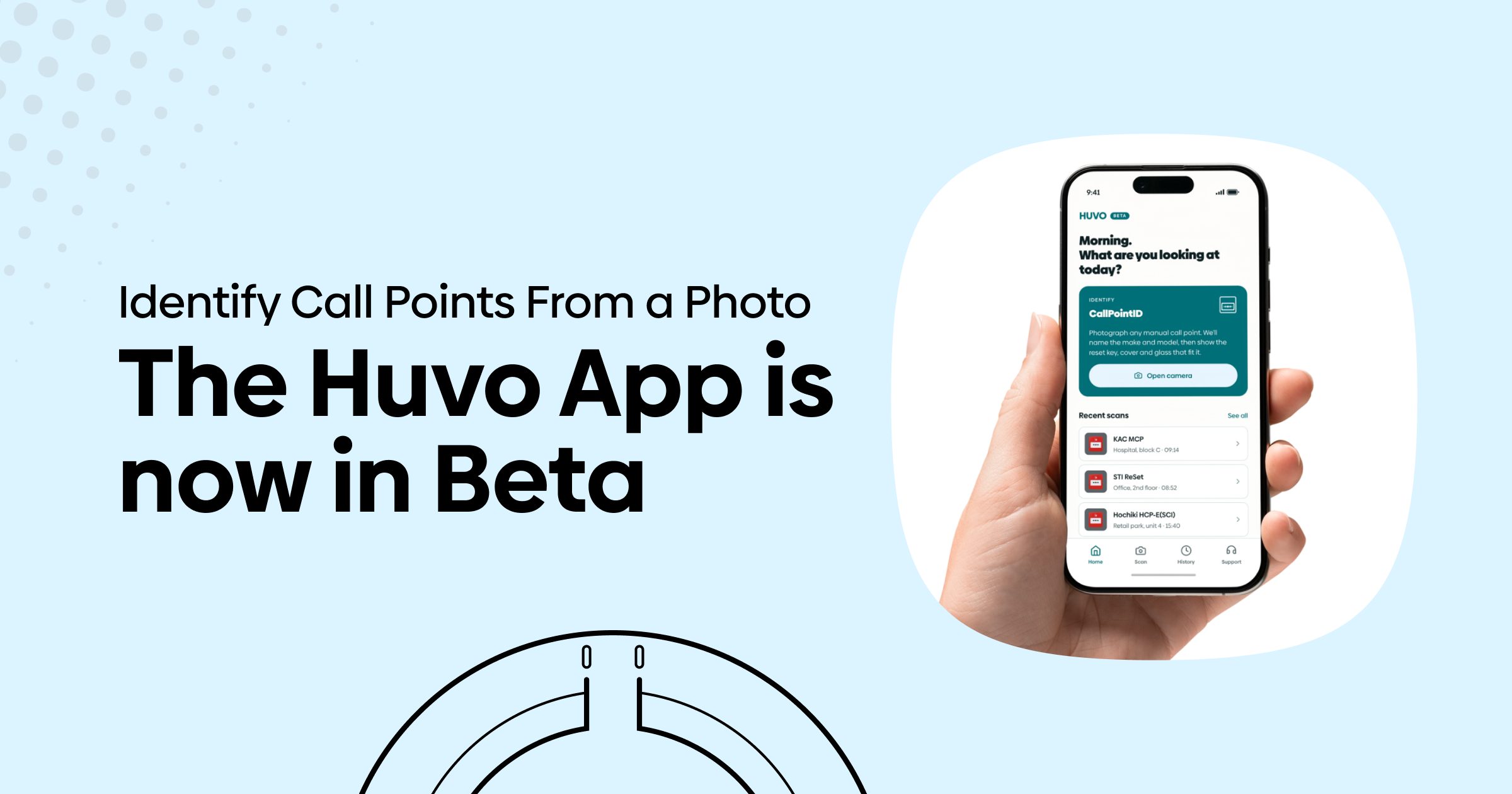
Huvo is building its own mobile app. The first feature, Call Point ID, identifies a manual call point from a photo and shows you the reset key and cover that fit it, with live stock and a link to order.
We’re looking for installers to trial it before launch.
The site you’ve never seen before
On a system you maintain, you know what’s on the wall. You’ve got the right reset key in the van and you’re not guessing at anything.
That’s not where the time goes.
The time goes on the site you’re walking into cold: a takeover from another maintainer with no drawings and no asset list, a survey ahead of a quote, or a one-off fault call on a system you didn’t install.
Someone has already tested a manual call point and can’t reset it. A cover has gone missing and the label went with it. You’re standing in front of a unit that could be one of hundreds of models, across several manufacturers and generations that look almost identical from the front.
Reset keys are not interchangeable between brands. Covers are matched to a specific model and mounting. And the older the building, the less likely the unit is to tell you what it is: the markings are painted over, faded, or hidden on a back plate you would have to remove to read.
So you photograph it and look it up later. You order a cover that arrives and doesn’t fit. Or you ring a distributor and describe a small red box down the phone.
None of it is difficult work. It is just work that adds nothing to the job and comes out of your day, usually on the visit where you are also trying to price everything else on the system.
That is the problem Call Point ID is built to remove.
What Call Point ID does
Call Point ID is the first feature in Huvo’s forthcoming mobile app. It does one job: identify the manual call point in front of you, then show you the parts that fit.
Here’s how it works:
Open the camera, line the call point up inside the outline and take the shot.
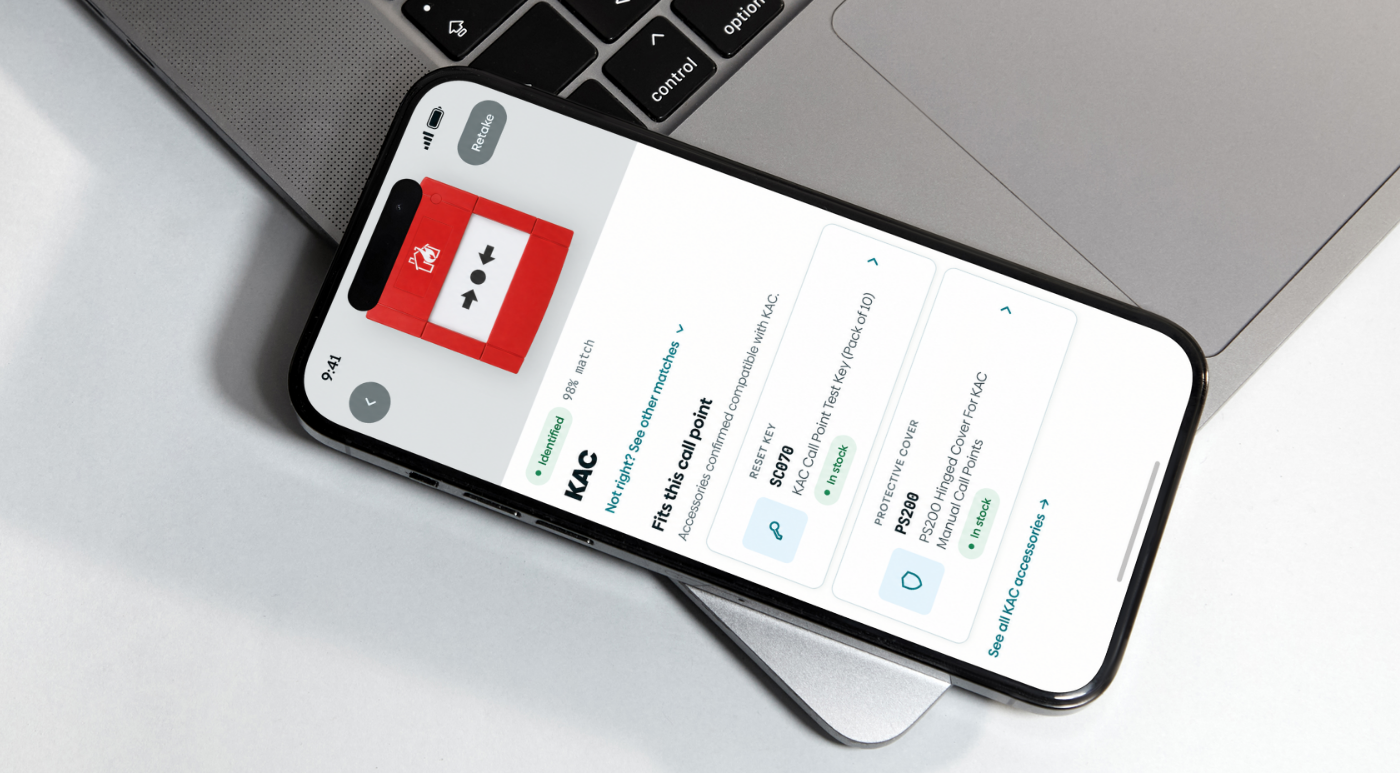
Within a couple of seconds it names the make and model of the call point in front of you.
The correct reset key and replacement cover for that exact unit, so you are not cross-referencing part numbers on a phone screen in a plant room.
Each part shows its current availability on huvo.co.uk, so you know before you order whether it is on the shelf.
Add what you need and it goes into your Huvo basket. Done, and back to the job.
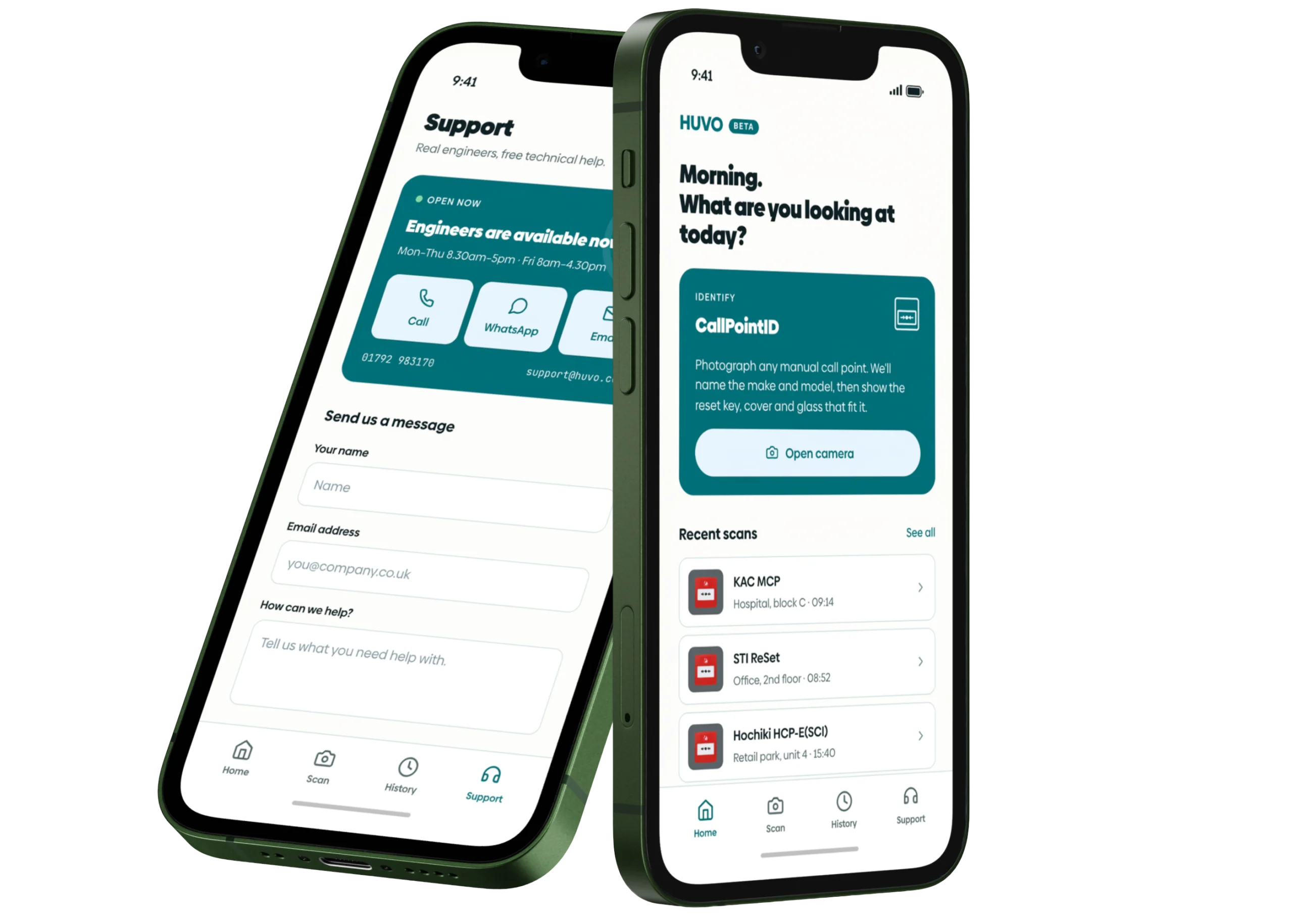
Every scan is saved to a history, so what you identified on the survey is still there when you come back to do the work, or when you are pricing the takeover at your desk that evening.
And if the app cannot identify a unit, it does not leave you stranded. You can send the photo straight to the Huvo team from inside the app, and we’ll help identify it and point you towards the parts that fit.
Built on Huvo’s own models, not a chatbot
This is worth being clear about, because “AI” now covers a lot of very different things.
Call Point ID is not a general-purpose AI assistant being shown a photo and asked what it thinks. A general model, the kind behind the chatbots you have probably tried, is trained on more or less the whole internet.
Ask it to identify a call point and it will give you a confident answer, because that is what it is built to do. Whether that answer is right, and whether the part it names is something you can actually buy, is another matter.
Call Point ID runs on machine learning models that Huvo has trained for this specific task. They have been built around the real product estate: the call points we sell, stock and support, and the spares that go with them.
The model is not improvising from a general picture of the world. It is recognising a specific unit from a set it has been taught, then matching it to parts that exist.
The practical difference is simple. A narrow model trained on the right data can be tested, corrected and improved against the actual products installers come across. A general model guessing at a photo cannot.
And when our model gets one wrong, we can fix it.
Which brings us to the beta.
Why we want installers in the beta
The models are trained, the app works, and now it needs to meet the real world: call points in bad light, behind years of gloss paint, half in shadow at the top of a stairwell.
That is where a beta earns its keep.
We are not going to quote an accuracy figure at this stage, because any number would be from our own testing. The whole point is to find out how Call Point ID performs on your jobs, not just ours.
During the beta, the app tells you plainly that identification is still learning and that you should check the model before ordering. We would rather say that up front than pretend otherwise.
What we are asking of trialists is simple: use it on real sites, tell us when it is right, and especially tell us when it is wrong.
Every misidentification you flag and every unrecognised photo you send through makes the model better for the next engineer who points it at the same unit.
In return, you get the app before anyone else, a direct line to the people building it, and a say in what comes next.
Call Point ID is the first feature, not the last.
Sign up to trial Call Point ID
If you would like to be part of the beta, register your interest below. We will send you a link to trial the app and details of how to feed back.
The initial trial is iOS only. An Android version will follow, so if you are on Android, sign up anyway and we will let you know when it is ready.