Updated 6 November 2026: Reviewed against Texecom’s SmartCom Pro model pages, range brochure and installation guide. Compare the CEN-0001, CEP-0001 and CEQ-0001, including panel interfaces, signalling paths and service requirements.
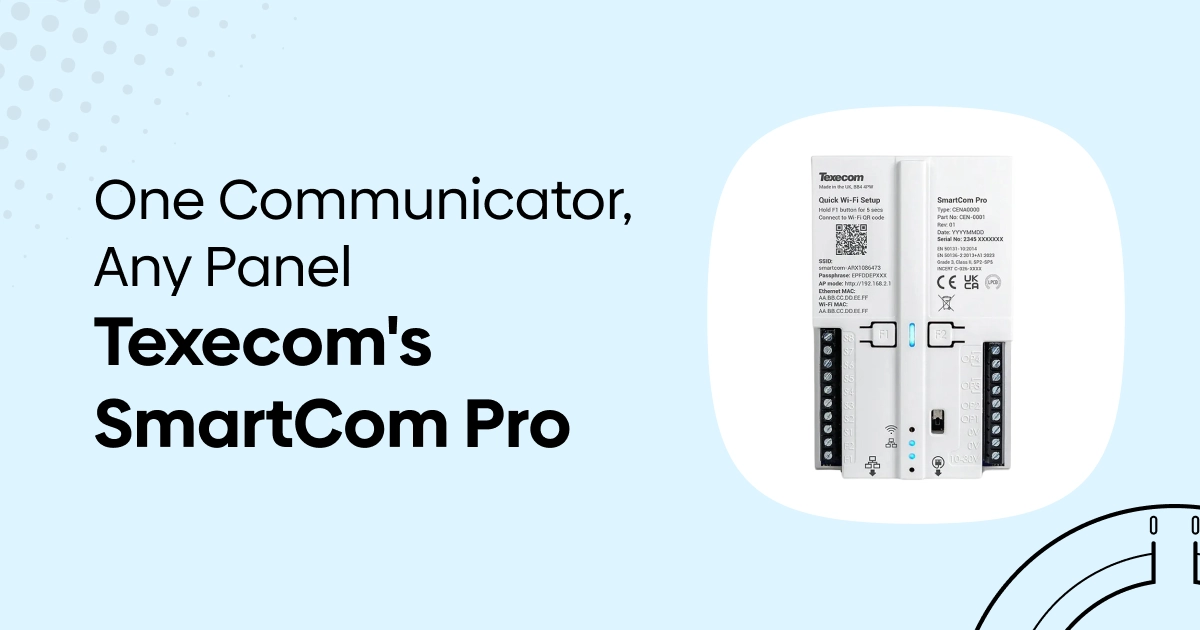
The Texecom SmartCom Pro range connects an alarm panel to Texecom’s signalling services. The three models offer different routes out of the building: an internet connection, internet plus mobile connectivity, or dual-radio mobile connectivity.
The right choice depends on the panel, the available networks and the monitoring specification. This guide explains the differences between SmartCom Pro, SmartCom Pro 4G and SmartCom Pro DR, with current product cards and a checklist to help you prepare an enquiry.
What does a SmartCom Pro communicator do?
A communicator provides a route for alarm signals to leave the premises. Texecom describes SmartCom Pro as an interface for panels with suitable digital outputs, allowing event signalling through Texecom Monitor to an Alarm Receiving Centre (ARC).
It does not replace the control panel or the ARC’s monitoring service. The panel must provide the appropriate signals, the communicator and service must be configured, and the ARC must accept the connection. A working local alarm is a different part of the system from a commissioned remote-signalling connection.
For an existing installation, first establish what is needed: professional alarm signalling, remote panel management, an end-user app, or a combination. Those functions are related, but the same features are not automatically available with every connected panel.
SmartCom Pro vs Pro 4G vs Pro DR
The comparison below follows Texecom’s current SmartCom Pro, SmartCom Pro 4G and SmartCom Pro DR product pages, alongside its SmartCom Pro range brochure.
| Detail | SmartCom Pro | SmartCom Pro 4G | SmartCom Pro DR |
|---|---|---|---|
| UK part code | CEN-0001 | CEP-0001 | CEQ-0001 |
| Manufacturer’s model description | Single-path communicator | Dual-path communicator | Dual-radio 4G communicator |
| Advertised signalling connections | Ethernet or Wi-Fi | Ethernet or Wi-Fi, plus 4G | Two mobile-network paths |
| Mobile connectivity | No 4G path | Roaming eSIM connectivity | Two modems with roaming SIM arrangements across separate network operators |
| Category summary on Texecom’s model page | SP2 | SP2 (4G), DP1–DP4 | DP2 or DP3 |
| Configurable inputs / outputs | 10 / 4 | 10 / 4 | 10 / 4 |
| Published module dimensions, W × H × D | 75 × 120 × 26mm | 75 × 120 × 26mm | 75 × 120 × 26mm |
| Useful starting point | A project specifying a single internet signalling path | A project needing internet and mobile paths | A project considering mobile/mobile resilience without relying on site broadband |
Confirm the exact configuration: these are model-page summaries, not a certificate for a completed installation. The available signalling category depends on the path, panel, firmware, service and commissioning arrangements. Texecom’s installation guide contains configuration-specific tables; agree the required combination with the installer, Texecom and ARC before ordering.
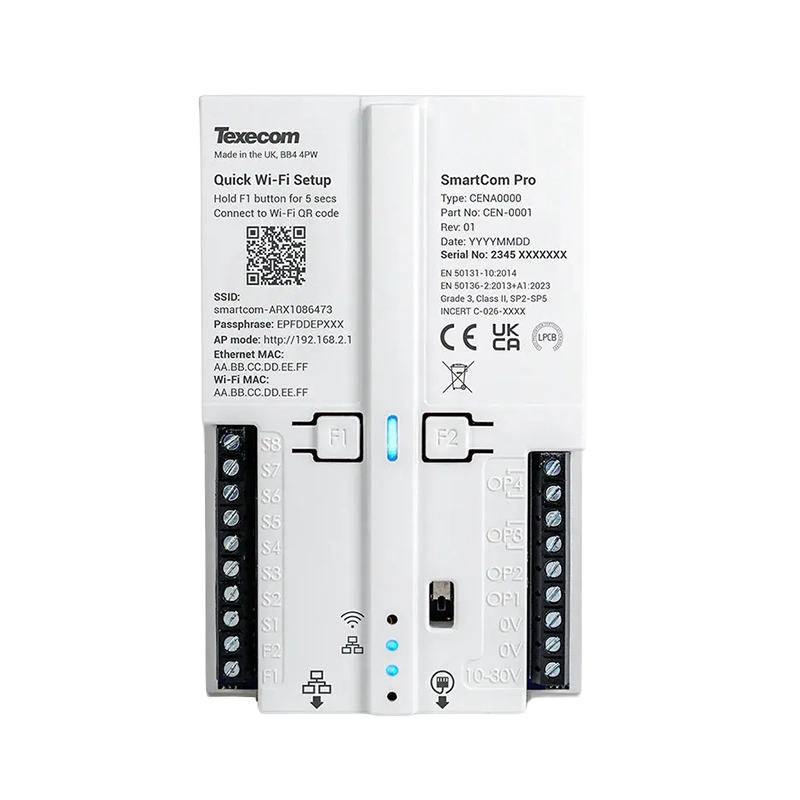
SmartCom Pro CEN-0001: Ethernet or Wi-Fi
The CEN-0001 is the single-path option. It uses the premises’ internet connection rather than providing a mobile backup path. Ethernet and Wi-Fi are alternative connection methods; having both listed does not make this a dual-path mobile-backup model.
Check the site network, its power arrangements and the required signalling category. Texecom’s installation guide says Wi-Fi is not recommended for graded systems and must not be used when the unit is installed inside a metal panel.
SmartCom Pro 4G CEP-0001: internet plus mobile
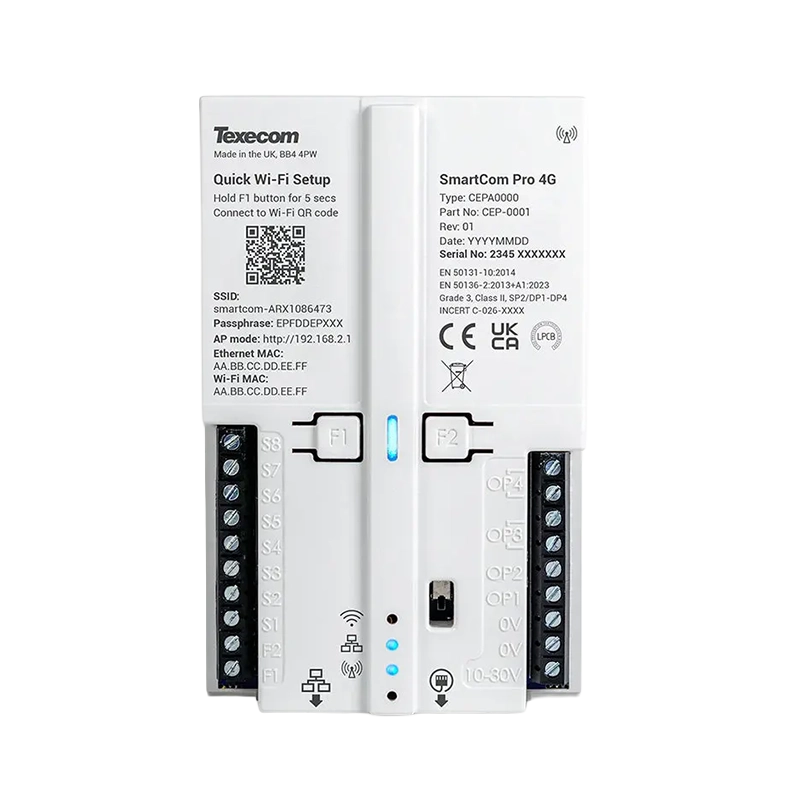
The CEP-0001 adds 4G connectivity to the range’s Ethernet/Wi-Fi options. It is the model to investigate where the specification calls for an internet path with a mobile path as well. Texecom describes automatic transfer from the primary Ethernet path to 4G when that path fails.
Mobile resilience still depends on usable coverage at the installed antenna position. Texecom’s guide provides signal and alternative-network checks; the installer should complete these before final fixing and commissioning. A general mobile coverage map does not establish the actual signal inside a building.
SmartCom Pro DR CEQ-0001: dual radio
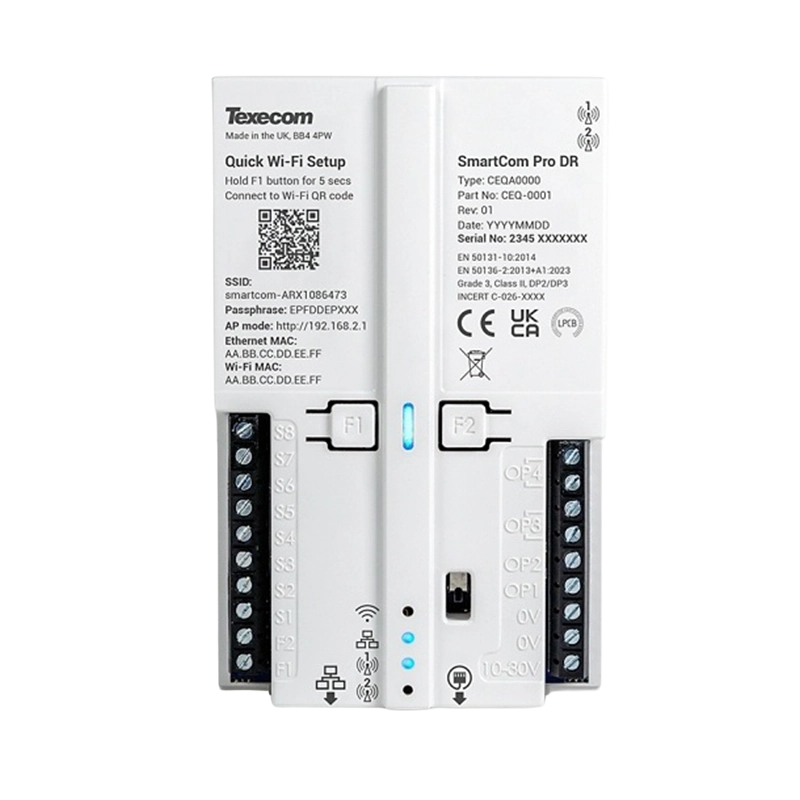
The CEQ-0001 is described by Texecom as a dual-radio 4G communicator. Its two modems and roaming SIM arrangements provide mobile-network diversity, with the system selecting available network operators for signalling.
Compare that mobile/mobile arrangement with the Pro 4G’s internet/mobile arrangement. Neither approach guarantees communication in every location or during every outage. Confirm coverage on both required mobile paths, the selected service and the exact supported configuration with the installer.
Panel compatibility: signalling is not the same as full integration
Third-party panels: Texecom describes compatibility with panels that provide suitable digital outputs, using the communicator’s programmable inputs and outputs. The installer must check the available event outputs, electrical interface, fault/tamper handling and commissioning requirements. “Universal” should not be read as a promise that every panel feature becomes available remotely.
Texecom Premier Elite: the proprietary serial connection provides the deeper integration described for Texecom Connect, Cloud and Monitor. Installation guide INS894-5 specifies Premier Elite firmware V6.05 or later for the full service capabilities it describes. Check the current firmware and service requirements for the actual panel rather than assuming its brand name is sufficient.
| Requirement | What to confirm |
|---|---|
| Alarm signalling to an ARC | Suitable panel outputs or supported serial connection, the selected Texecom Monitor service, ARC acceptance and a commissioned site connection. |
| Remote panel diagnostics and configuration | The supported Premier Elite integration, firmware and Texecom Cloud service. Do not assume equivalent access to a third-party panel’s programming. |
| End-user app operation | The panel, interface, firmware, service and specific supported functions. An ARC-signalling connection alone does not establish full app control. |
| Backup communication | The actual paths, network availability, power arrangements and agreed reporting category. Two paths are not an assurance against every common failure. |
SIMs, subscriptions and ARC monitoring: what is included?
The Pro 4G and DR use the roaming SIM arrangements described in Texecom’s documentation. Treat them as part of the specified service setup rather than assuming you should add an ordinary consumer mobile contract.
Texecom’s installation guide explains that service plans are selected when the system is attached to the Cloud, and that those plans include payment for 4G data. It also separates Texecom’s service contract from the ARC’s own monitoring charges. Buying the hardware is therefore only one part of the cost.
Ask the installer or service provider for a written breakdown of the communicator, installation, Texecom services, ARC monitoring, contract term and any ongoing support. Confirm the current prices and terms for your project; a hardware price does not establish a monthly monitoring price.
The ARC account and site connection also need to be agreed. Receiving an alarm at an ARC is not, by itself, a promise of any particular emergency-service attendance: response arrangements should be confirmed with the provider.
Installation, fire-panel use and signalling requirements
Texecom’s model pages describe an 11–30V operating range and suitability for security or fire systems. The detailed installation documentation must still be used to check the actual power supply, load, standby provision, inputs, enclosure, tamper protection and intended application.
For a fire-alarm project, voltage compatibility alone does not establish that the complete monitoring arrangement meets the project’s requirements. The designer, installer and receiving centre should confirm the interface, fire and fault reporting, service and response arrangements. Our fire-alarm monitoring guide explains the distinction between local warning, signalling and response.
For a graded intruder installation, use the manufacturer’s applicable certification and configuration tables rather than treating a list of standards or an SP/DP label as approval for every connection. In particular, confirm the permitted path type and firmware for the required category.
The dimensions in the comparison are for the communicator module. The optional JAQ-0007 case is larger: Texecom’s brochure lists 126 × 180 × 35mm, W × H × D. Allow for the appropriate enclosure, cable space and antenna location. An internal module’s dimensions should not be used as the complete mounted footprint.
This guide focuses on UK selection. For an overseas installation, confirm both mobile-network and Texecom Monitor service availability in the intended country; one does not establish the other.
Before-you-buy checklist
- Identify the panel: manufacturer, exact model, firmware and existing communicator.
- Define the interface: supported Premier Elite serial connection or suitable panel outputs, including the events that need to be reported.
- Agree the monitoring specification: ARC, required signalling category, fault handling and response arrangements.
- Choose the paths: internet, internet/mobile or mobile/mobile, with the appropriate category confirmed for that combination.
- Survey the connections: site-network access, actual mobile signal and alternative-network availability at the proposed location.
- Check power and mounting: supply capacity, standby arrangements, enclosure, tamper protection and antenna/cable space.
- Confirm the service costs: Texecom plan, included data, ARC charges, contract duration and support responsibility.
- Plan commissioning and handover: the installer should prove event and fault reporting, document the setup and explain ongoing checks.
SmartCom Pro frequently asked questions
What is the difference between SmartCom Pro and SmartCom Pro 4G?
SmartCom Pro CEN-0001 is the single-path Ethernet/Wi-Fi model. SmartCom Pro 4G CEP-0001 adds mobile connectivity, allowing an internet/mobile arrangement. The exact service and signalling category must match the installed configuration.
What is CEP-0001?
CEP-0001 is the UK part code for Texecom SmartCom Pro 4G. It is different from CEN-0001, the single-path Pro, and CEQ-0001, the dual-radio Pro DR.
Does SmartCom Pro work with another manufacturer’s panel?
Texecom describes signalling compatibility with panels that have suitable digital outputs. The installer must verify the interface and events. This does not automatically give a third-party panel the same app, diagnostics or programming features as a supported Premier Elite serial connection.
Does the Pro 4G or DR need a SIM?
The mobile models use the manufacturer’s roaming SIM arrangements and associated service plans. Confirm activation, data and service provisioning with the installer rather than assuming a separate consumer SIM is needed.
Is monitoring included in the communicator price?
Do not assume so. Texecom’s guide distinguishes its service contract from the ARC’s monitoring charge. Obtain the full hardware, installation and ongoing-service quotation for the intended site.
Can I replace an older SmartCom without checking the configuration?
No. INS894-5 states that SmartCom Pro uses Monitor mode on Premier Elite and distinguishes this from legacy SmartCom operation. Have the installer check panel firmware, mode, service and any migration requirements before selecting a replacement.
Choosing the right SmartCom Pro
Start with the required signalling service and the connections available on site, then choose the model and interface to suit. The three cards above show current Huvo pricing and availability without building a fixed stock or price promise into this guide.
If you need help identifying the right product, contact Huvo with the panel model, intended connection and monitoring requirement. For the underlying specifications, use the Texecom SmartCom Pro range brochure and the applicable current installer documentation from Texecom Product Support.