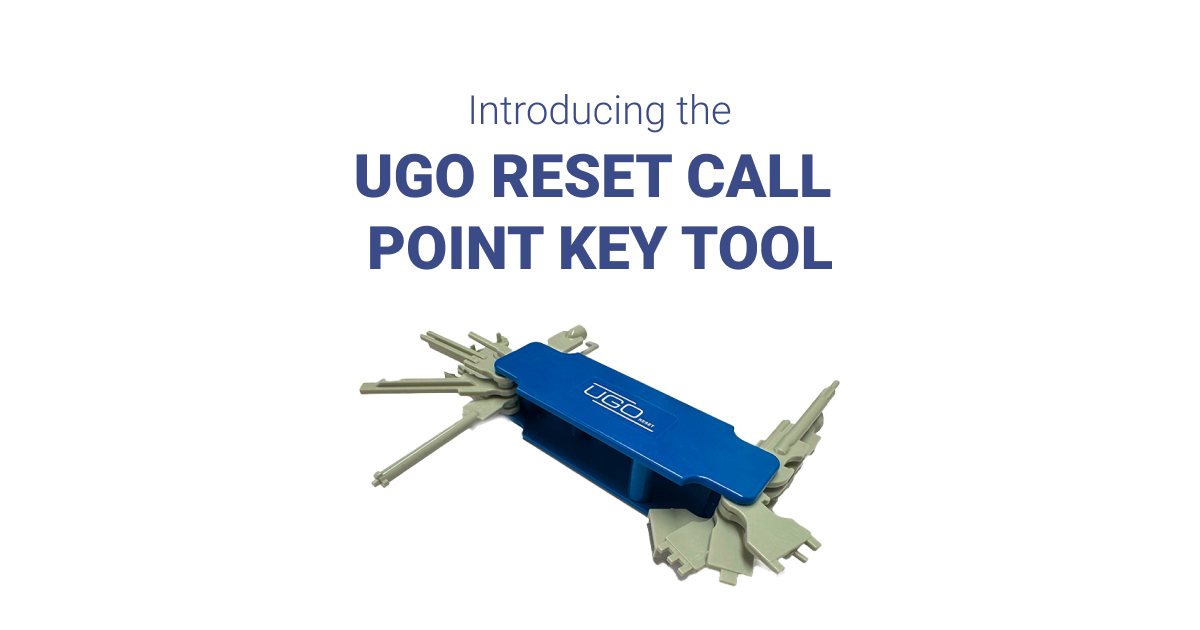
The Vimpex UGO Reset call point key tool brings several manual call-point test and reset keys together in a folding case. It is useful for engineers and facilities teams working with different call-point types, provided the correct key profile is available for the installed device.
Updated 9 November 2026: compatibility names and pack references checked against Vimpex’s product information and technical datasheet.
Jump to: compatibility table | testing and resetting | pack options | product | FAQs
What does the UGO Reset tool do?
UGO Reset is a mechanical multi-key tool for testing and resetting suitable manual call points. The keys fold out when needed and return into the case afterwards, reducing the number of loose keys to carry. Vimpex’s datasheet lists a weight of 80 g and dimensions of 123 × 39 × 27 mm.
Its purpose is to make a mixed collection of call-point keys easier to carry and identify. It does not remove the need to know which key a particular device requires. See the Vimpex UGO Reset product information and UGO Reset datasheet.
Which call points is UGO Reset compatible with?
The following names appear in Vimpex’s compatibility information. The current product page explicitly names Synaps, KAC and Global Fire; the technical datasheet provides the fuller list below. This is a list of call-point names, not a model-by-model guarantee. Check the exact device and key profile before relying on the tool for a site.
| Listed name | Manufacturer reference |
|---|---|
| KAC | Product page and technical datasheet |
| Synaps | Product page and technical datasheet |
| Gent | Technical datasheet |
| STI | Technical datasheet |
| CQR | Technical datasheet |
| Global Fire | Product page and technical datasheet |
| Fike | Technical datasheet |
| Alarm Sense | Technical datasheet |
| ESP | Technical datasheet |
| Cooper | Technical datasheet |
For an exact-model check, record the call-point manufacturer, model reference and required test/reset key. A photograph of the device label and existing key can help identify the right profile. If the model is unclear, ask for confirmation before ordering; the name alone does not establish that every device in a range uses the same key. An unlisted name should be checked separately rather than assumed compatible or incompatible.
Why can one site need several keys?
Different call-point types can require different test or reset keys. A site may have a mixture following extensions, device replacements or system upgrades. Keep a record of the devices actually installed so the person carrying out the checks can select the appropriate key. The UGO tool is a convenient way to carry supported profiles together.
Testing a call point and resetting it are different jobs
A manual call point lets someone raise the fire alarm. During an authorised test, its specified test key can be used according to the device instructions. On a resettable call point, the appropriate key is also used to restore the operating element. A broken-glass device may need its specified replacement element; a key tool does not repair broken glass.
Restoring the call point and resetting the fire alarm panel are separate operations. Follow the installed equipment’s instructions and the site procedure for both. Do not assume that using a call-point key alone returns the whole system to normal, or treat UGO as a universal panel-reset tool.
Arrange testing with the responsible person and follow the site’s testing and monitoring arrangements. GOV.UK’s workplace guidance explains the need for regular checks that alarm systems are working and for recording faults. This product guide does not replace the testing schedule or the instructions for a specific call point. During an alarm, follow the premises’ fire procedure.
Individual tool and multipack references
| Reference | Pack option |
|---|---|
| 5PCL101 | Individual tool |
| 5PCL120 | Pack of 20 tools |
| 5PCL150 | Pack of 50 tools |
These are pack quantities, not the number of different keys in each tool. Match the product selector to the quantity of tools required. Current price and availability are shown when you choose the pack option.
Buy the UGO Reset call point key tool from Huvo
Use the pack selector below, or open the UGO Reset product details for more information. For help identifying a key, contact Huvo with the call-point model and existing key details.

UGO Reset and call-point key FAQs
Is UGO Reset a universal fire alarm key?
Vimpex lists compatibility with a range of call-point names, but does not provide an exact-model matrix in the information above. Confirm the key profile for each installed device. Do not assume it covers every call point or fire alarm panel.
Does UGO include keys for KAC, Synaps and Global Fire call points?
Vimpex explicitly names KAC, Synaps and Global Fire in its UGO Reset product description. Check the particular call-point model and required profile before selecting a key or ordering the tool.
How do I choose the right call-point reset key?
Identify the call point by its full model reference, then check that model’s test/reset instructions and key profile. If you cannot identify the device or key, obtain confirmation rather than trying different profiles by force.
Will resetting a call point reset the panel too?
Do not assume so. Restoring the call point and returning the control panel to its normal state are separate parts of the installed system’s procedure. Follow the model-specific instructions and site arrangements.
Can a call-point key replace broken glass?
No. A damaged operating element needs the correct replacement for that call-point model. Resettable elements and break-glass elements have different servicing requirements; the multi-key tool is not a replacement element.
What is the difference between 5PCL101, 5PCL120 and 5PCL150?
They identify the individual tool, pack of 20 and pack of 50 respectively. The pack size does not describe how many different key profiles are contained in the tool.