Browsing Huvo just got a lot sharper
We’ve been quietly rebuilding how you browse the Huvo catalogue — and it’s now live. The goal was simple: less friction, faster decisions, and a layout that actually keeps pace with how you work.
Here’s what’s new.
Favourites
If you regularly fit the same kit, you shouldn’t have to hunt for it every time. You can now mark products as favourites, and they’ll surface at the top the next time you browse that category. Soon, they’ll also be accessible directly from your account dashboard — so your go-to lines are always a click away.
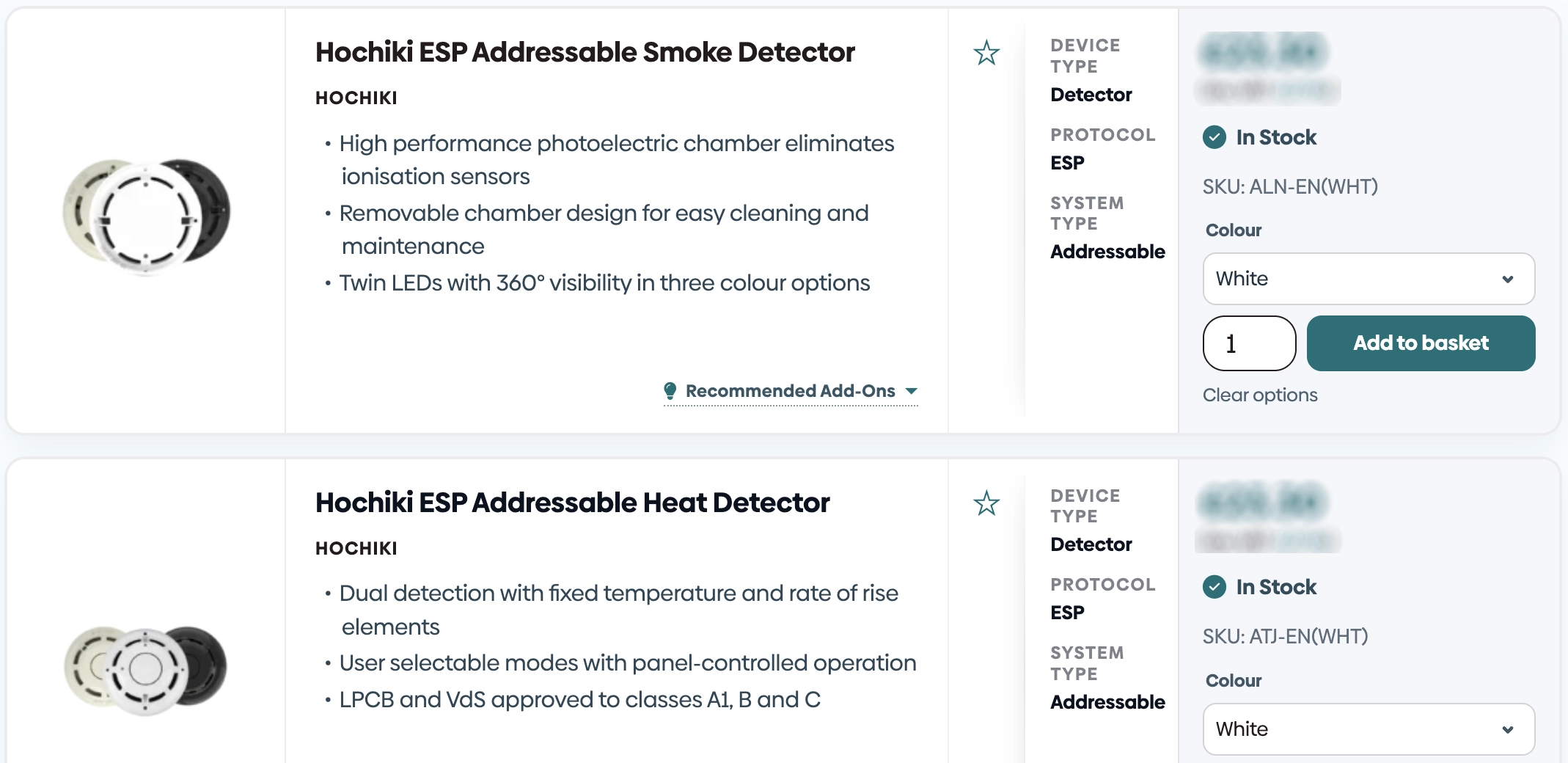
Grid view
Prefer to scan products side by side rather than scrolling a list? Switch to grid view and get a broader overview at a glance. Useful when you’re comparing options or putting together a spec for a job.
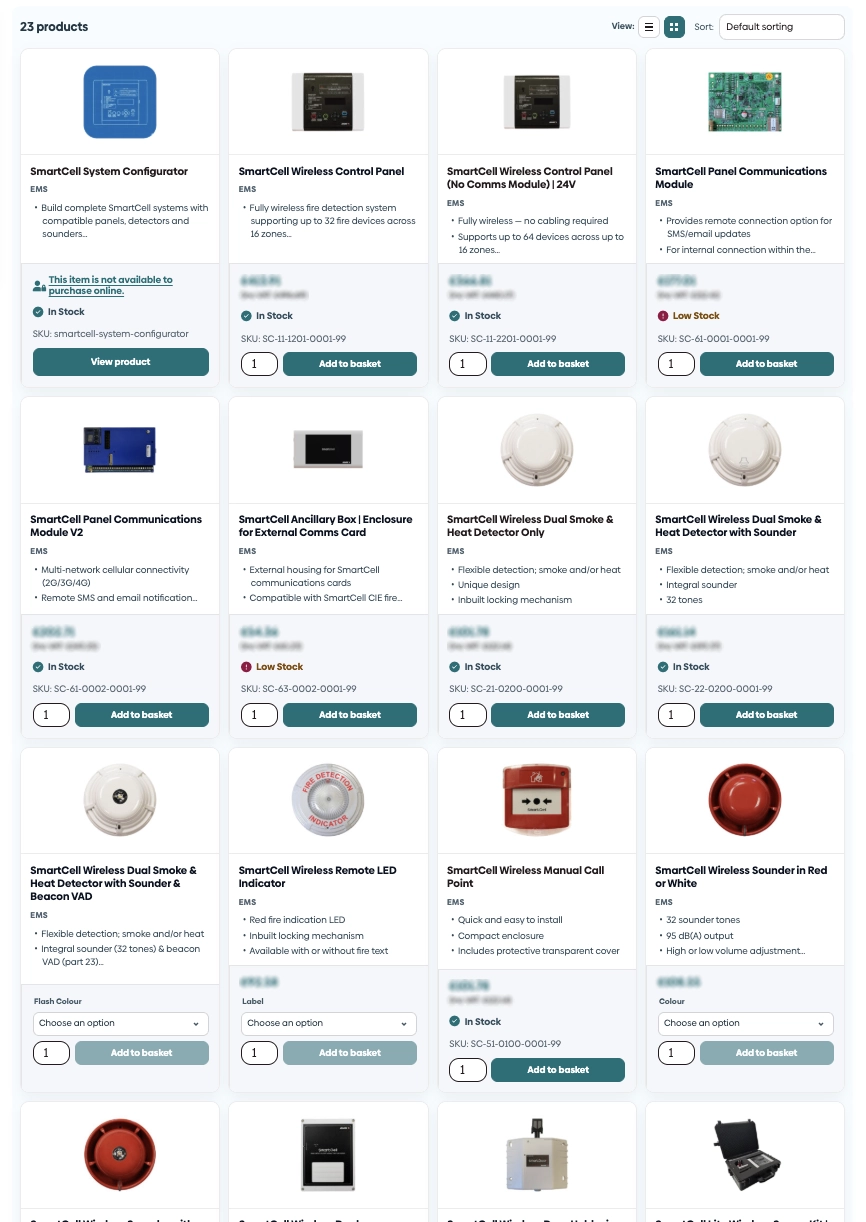
Recommended add-ons in the catalogue view
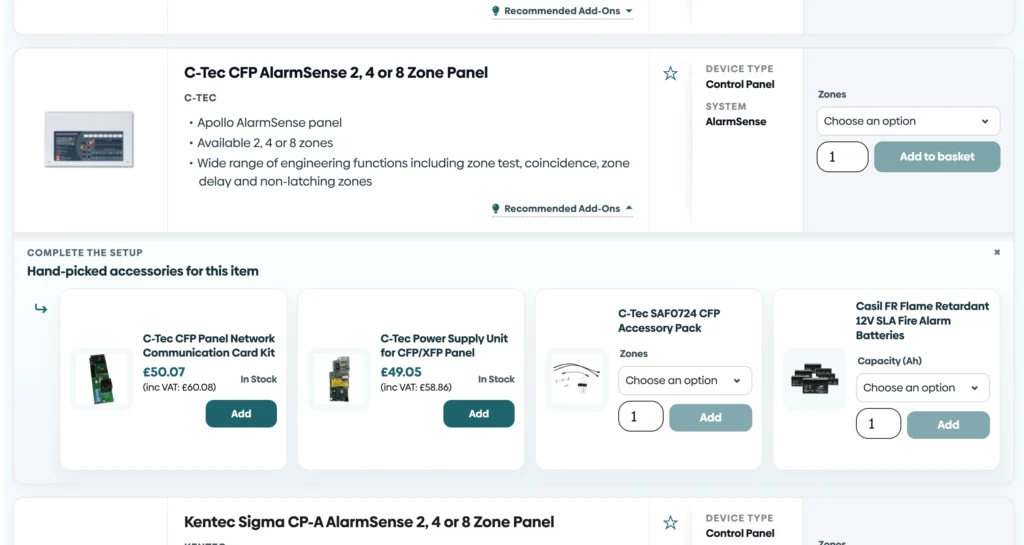
This one’s practical. Ancillary products and recommended add-ons now appear directly in the catalogue view — complete with stock message and the ability to add to cart without leaving the page. No need to navigate away to check whether you’ve got the right bases, brackets, or accessories to go with an order.
Clearer product attributes at a glance
Alongside the improved filters, key product attributes are now visible in the category view itself. Device type, system, colour, protocol — the details that matter when you’re narrowing down options are there without needing to open each product individually.
You can see the updated layout for yourself on any of our category pages (ie. https://huvo.co.uk/category/fire-alarms/wired/addressable/). Something not working the way you’d expect? Or something you’d like to see added? Get in touch — we’d love to hear from you.