


EMS FireCell wireless infrastructure: Hub & Cluster vs Fusion RLM explained
Wireless and hybrid fire detection has moved from a niche workaround to a mainstream specification — heritage buildings where you can’t chase cable, occupied premises where downtime isn’t an option, phased construction where the wired infrastructure isn’t ready yet. The EMS FireCell range is built for exactly these jobs, but it gives you two distinct ways to get wireless devices onto a loop: the Hub & Cluster architecture and the Fusion Radio Loop Module (RLM).
Picking the wrong one won’t stop the system working, but it can cost you surveying time and headroom for future expansion. This guide walks you through what each one does, the size of job each suits, and how to choose with confidence on your next install.
The shared foundation: what every FireCell system has in common
Before the two architectures diverge, they share the same core technology — and it’s worth understanding because it shapes everything downstream.
- All EMS wireless solutions run on 868 MHz radio technology.
- Every product is EN 54-25 third-party approved (EN 54-25 is the European standard covering radio-linked components used in fire detection and fire alarm systems) and carries the CE mark.
- Each detection loop supports up to 126 devices, whether those devices are wired or wireless.
- Each loop must be dedicated as either wired or wireless — you don’t mix device types on the same loop. The one exception is the Fusion RLM, which we’ll come to.
- All wireless devices, including sounders, carry their own batteries and do not count toward loop loading calculations.
The panel sets your loop ceiling: Syncro AS gives you one or two loops, the 2X-A series one to four, and Taktis two to eight. Across larger sites, up to sixteen panels can be wirelessly networked using the EMS Radio Network Communicator (RNC).
That’s the common ground. Now the two routes onto the loop.
Route one: Hub & Cluster
The Hub & Cluster architecture is FireCell’s full-fat wireless infrastructure, designed for whole-building and multi-building coverage.
How it works
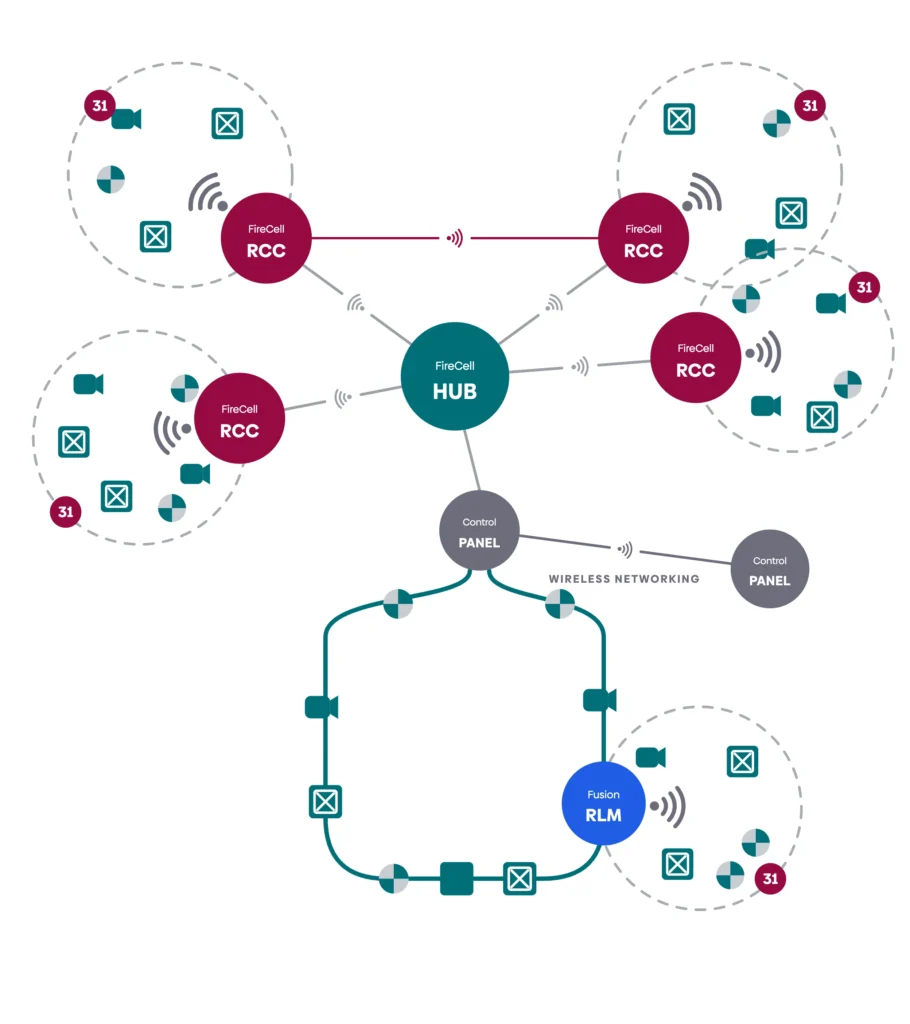
A FireCell Wireless Hub connects to the loop input/output of the control and indicating equipment (CIE) using fire-resistant cable. Each Hub supports up to four wireless loops. Out in the field, FireCell Radio Cluster Communicators (RCCs) act as the radio nodes that the wireless devices report to, forming “clusters” of coverage that the Hub stitches together.
Because a single Hub handles up to four loops, you can build a system that’s 100% wireless, or a hybrid — for example, a four-loop CIE running one wireless loop alongside three hard-wired loops. The architecture flexes to the building rather than the other way around.
What it’s suited to
- Medium to large single buildings where wireless needs to cover multiple zones or floors.
- Multi-building sites — campuses, retail parks, care villages — where clusters extend coverage across separated structures.
- Networked systems of up to sixteen panels using the RNC, giving genuinely large-scale wireless or hybrid coverage.
- Jobs where you want maximum wireless headroom and room to grow the system later without re-architecting it.
Key kit
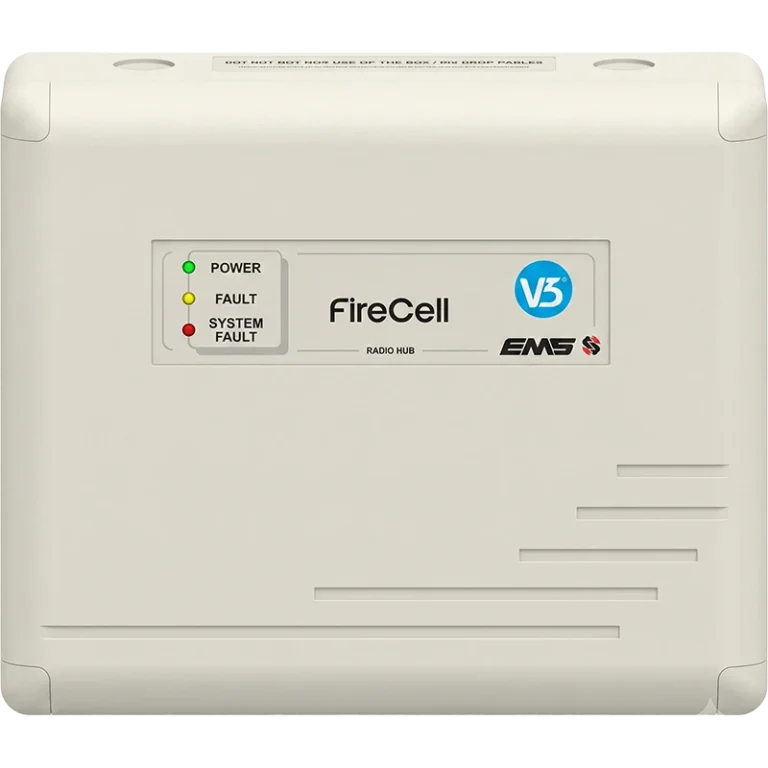
- FCX-500-444-V3 — Wireless Hub, 4 loop, with remote aerial facility, V3 software. Loop powered.
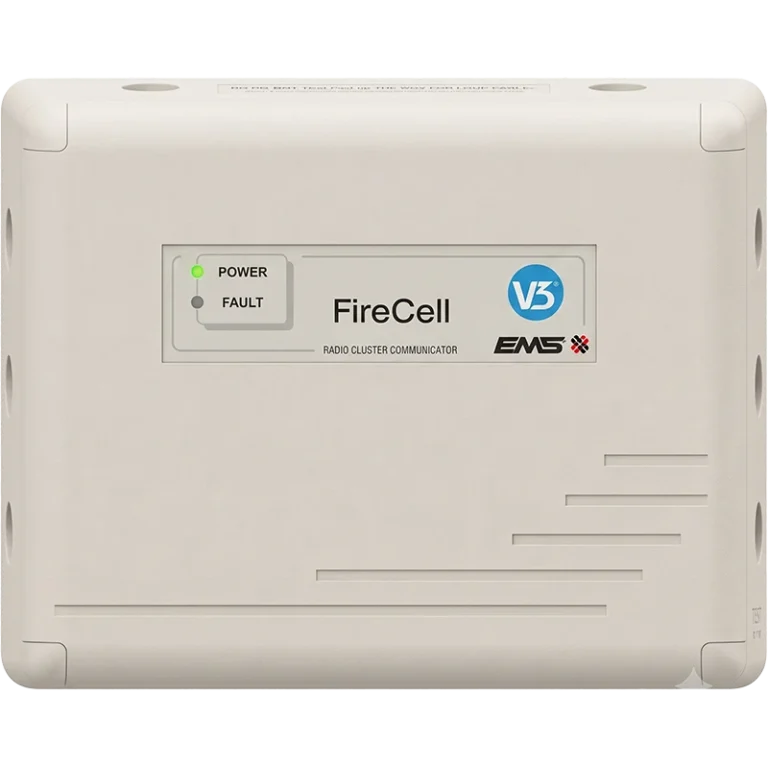
- FC-555-001-V3 — 230 VAC RCC, V3, includes PSU. Requires a 6 V 4 Ah standby battery (FC-006-004).
- FC-555-331-V3 — 230 VAC RCC with remote aerial facility, V3.
- FC-555-024-V3 — 24 VDC RCC, V3.
Route two: Fusion RLM
The Fusion Radio Loop Module is the targeted route to wireless — ideal when you only need radio coverage in part of an otherwise wired system.
How it works
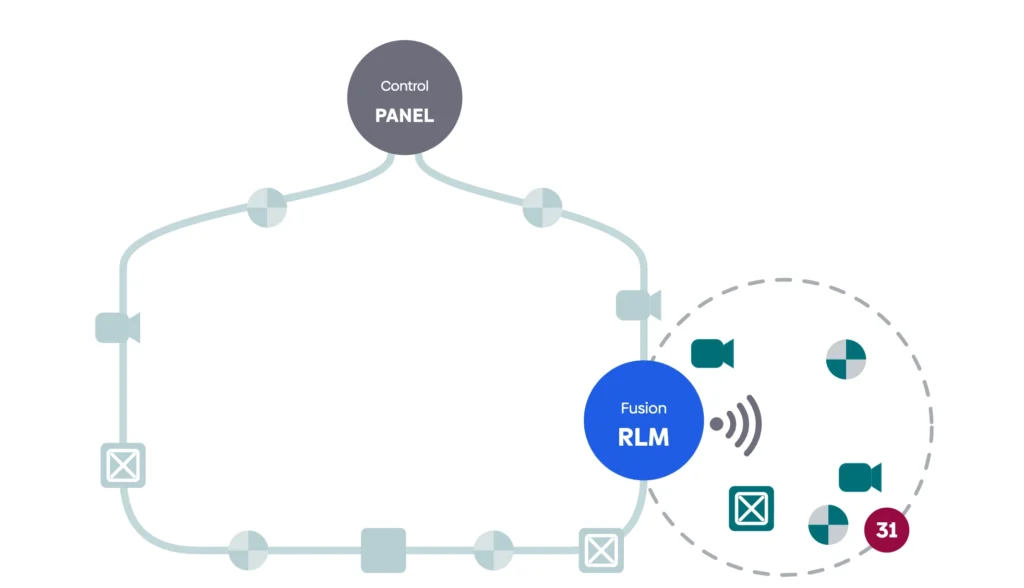
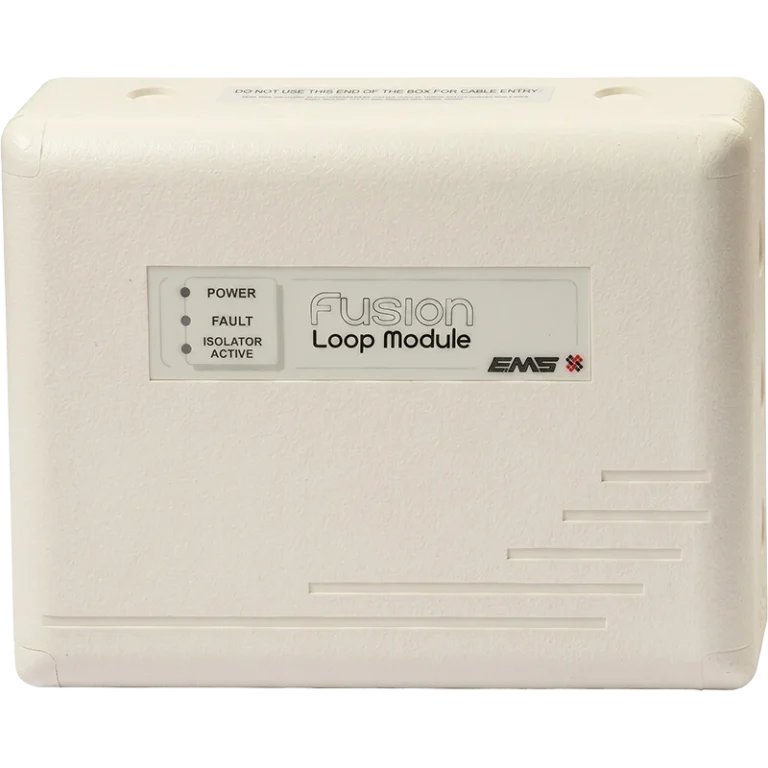
The Fusion RLM (FCX-532-001) is wired directly onto a hard-wired loop and powered from it. Once installed, it supports any combination of wireless devices up to a total of 31 loop addresses. The RLM itself occupies one additional loop address.
This is the important distinction: the Fusion RLM lets you add localised wireless devices onto a wired loop — the one place FireCell breaks the “dedicated wired or wireless” rule. You can fit up to five RLMs per hard-wired loop (subject to cable specification), so even within the Fusion approach there’s meaningful capacity.
What it’s suited to
- Predominantly wired systems that need wireless in a handful of awkward spots — a listed stairwell, a detached plant room, a newly partitioned area.
- Retrofits and extensions to existing FireCell-compatible panels, where running new cable to a few devices isn’t practical or cost-effective.
- Smaller jobs where a full Hub & Cluster deployment would be over-specified.
- Sites using a suitable XP95 protocol control panel — EMS offers the Gateway FCX Kit (FCX-750-003) for exactly this scenario, bundling an RLM with detectors, bases and a call point (control panel not included).
Key kit
- FCX-532-001 — Fusion Radio Loop Module. Loop powered. Up to five per loop using a FireCell panel.
- FCX-750-003 — Gateway FCX Kit (1 × RLM, 6 × optical detectors, 4 × bases, 2 × MCPs, 1 × wireless MCP). For use with a suitable XP95 protocol control panel.

Side-by-side: how they compare
| Hub & Cluster | Fusion RLM | |
|---|---|---|
| Best for | Whole-building and multi-building wireless | Localised wireless on a wired system |
| Wireless capacity | Up to four wireless loops per Hub (126 devices/loop) | 31 loop addresses per RLM; up to 5 RLMs per wired loop |
| How it connects | Hub wired to CIE loop I/O; RCCs as field nodes | RLM wired directly onto a hard-wired loop |
| Power | Hub loop powered; RCCs need 230 VAC or 24 VDC + standby battery | Loop powered |
| Loop rule | Wireless loop is dedicated wireless | Adds wireless devices onto a wired loop |
| Typical scale | Medium to large; networkable to 16 panels | Small to medium; targeted coverage |
| Deployment footprint | Larger — Hub plus RCC infrastructure | Smaller — single module onto an existing loop |
Browse all FireCell
See productsChoosing the right route: a practical decision path
- Is the system mostly wired, with only a few areas needing radio? Specify a Fusion RLM. One module onto the wired loop covers up to 31 addresses, and you can add up to five per loop.
- Do you need wireless across whole floors, zones or separate buildings? Specify Hub & Cluster. The Hub’s four-loop capacity and RCC field nodes are built for breadth.
- Will the site grow significantly? Hub & Cluster gives you the most headroom and the cleanest upgrade path, especially once you factor in RNC networking across up to sixteen panels.
- Is it a small, self-contained building? Step back and ask whether you even need the FireCell panel-based architecture at all — see below.
Smaller systems: consider SmartCell or SmartCell iWZM
For genuinely small installs, a full panel-based FireCell system can be more than the job needs. EMS positions its wireless range as a scalable ladder, and at the entry end sit two self-contained options worth knowing:
SmartCell iWZM
An intelligent wireless zone monitor solution suited to the smallest systems (in the region of 16 wireless devices), where you need compliant wireless detection without a full addressable panel.
SmartCell
The standalone wireless panel solution scaling to around 64 wireless devices, ideal for small to mid-sized standalone buildings.
Above these, the ladder continues up through Fusion RLM (around 155 wireless devices across a system) and on to the full FireCell Hub & Cluster architecture (scaling to thousands of wireless devices on networked systems). The right rung depends on device count, building size and whether the site needs to integrate with a wired loop.
Common pitfalls to avoid
- Don’t forget RCC power and standby batteries. Mains RCCs (FC-555-001-V3, FC-555-331-V3) need a 6 V 4 Ah standby battery (FC-006-004) each. It’s an easy item to overlook when you’re specifying the system.
- Don’t exceed five RLMs per wired loop. Capacity is real but finite, and it’s subject to your cable specification — confirm it at design stage.
- Don’t skip the site survey. 868 MHz performance depends on building fabric. The FireCell Wireless Survey Kit (FC-868-SE2) exists for exactly this reason; survey before you commit to device positions, not after.
- Don’t assume aerials are included. RCCs and Hubs with “remote aerial facility” do not ship with the aerials themselves — specify the dipole aerials and coax separately where remote mounting is needed.
- Don’t count wireless devices in loop loading. They’re battery powered and sit outside the loop loading calculation — but the installer/system designer remains responsible for the overall supply and battery backup calculations to meet local codes and practice.
Compliance and design context
FireCell is designed to help you meet the relevant standards, but the responsibility for a compliant design sits with the installer and system designer.
- Commercial fire detection and alarm systems should be designed, installed and commissioned to BS 5839-1; domestic and residential systems to BS 5839-6.
- FireCell wireless components are EN 54-25 approved, with detectors and other products certified to the relevant parts of the EN 54 series.
- Supply and battery-backup calculations for the whole installation are the installer’s / designer’s responsibility, and must be carried out to meet local codes and practice.
In short
Reach for the Fusion RLM when you need wireless in pockets of an otherwise wired system — it’s the lean, loop-powered route that adds radio without a full infrastructure build. Reach for Hub & Cluster when wireless needs to cover whole buildings or multiple structures, or when you want the headroom to scale. And for the smallest standalone jobs, SmartCell or SmartCell iWZM may be the more sensible starting point.